Maintained safeguarding targets
Predefined websites and supporting resources are maintained across education-relevant safeguarding categories. There are no test lists for your team to create or manage.
FilterSentinel tests your school’s filtering from inside the network being assessed. It uses centrally maintained KCSIE and education-focused targets to identify content that is blocked, unexpectedly accessible or needs further investigation.
Request a demo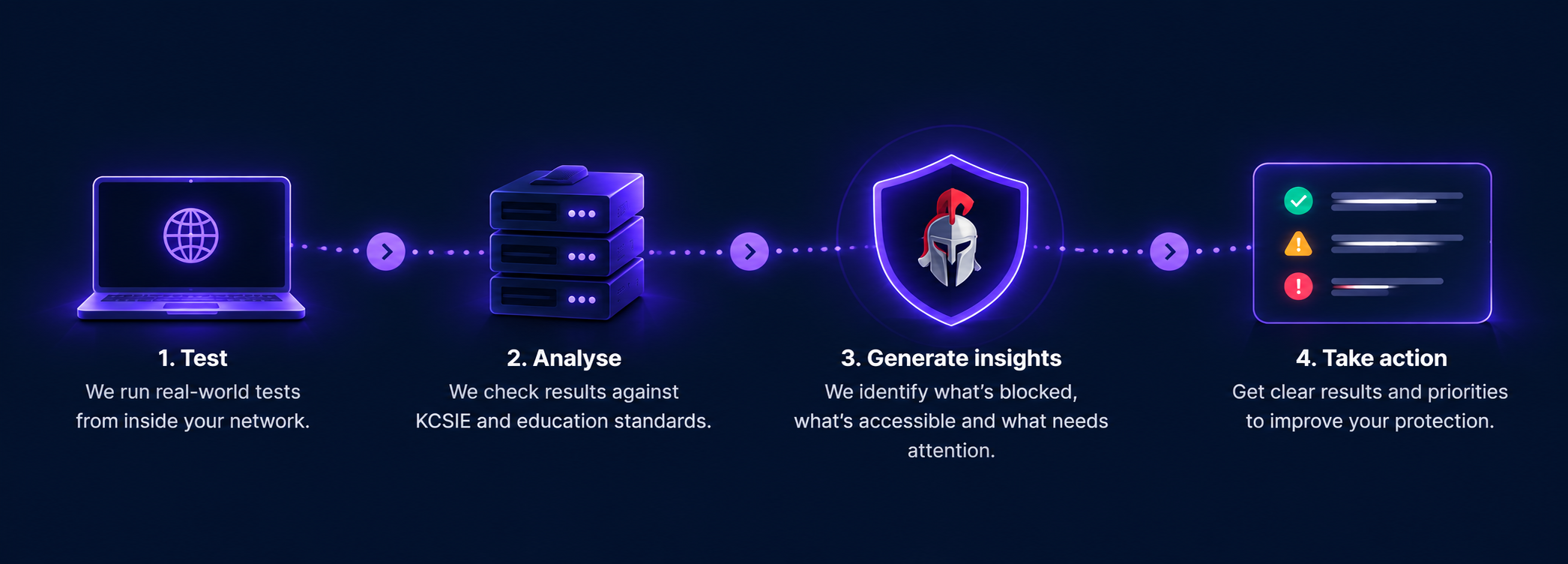
FilterSentinel combines maintained safeguarding targets, known reference behaviour and multiple diagnostic signals to reach dependable conclusions.
Predefined websites and supporting resources are maintained across education-relevant safeguarding categories. There are no test lists for your team to create or manage.
Results from your school network are compared with reference scans, providing essential context for how each target ordinarily responds.
FilterSentinel considers request, response and network behaviour to distinguish filtering intervention from ordinary website or connection errors.
Your report combines an overall summary, safeguarding category performance and supporting evidence for unexpected or uncertain findings.
Use the scanner that matches the depth of evidence your assessment requires.
Start immediately from the FilterSentinel webpage with no installation required. Ideal for quick checks and routine filtering assessments.
Capture additional request, response and redirect evidence for more confident results and fewer inconclusive findings.
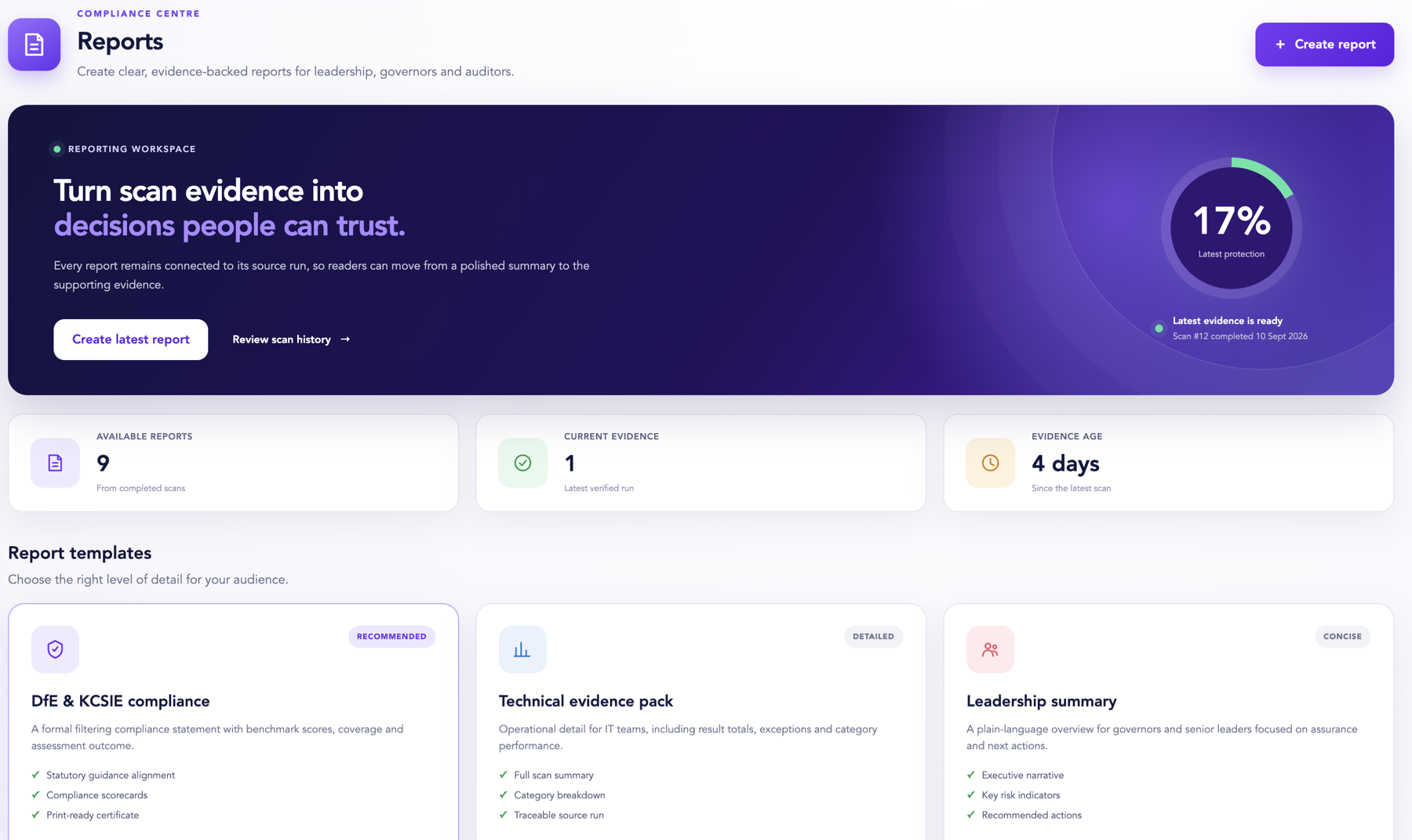
Turn every completed scan into clear, evidence-backed reporting for safeguarding leaders, governors, auditors and technical teams.
Choose the right level of detail, see how current the evidence is and trace every summary back to its verified source run.
FilterSentinel considers multiple signals and compares them with known reference behaviour. Ambiguous responses are flagged for review rather than automatically treated as filtering failures.
It supports filtering and safeguarding reviews but does not replace professional judgement or constitute regulatory certification.
Start immediately with the Native JavaScript Scanner, or use the Enhanced Browser Plugin for deeper diagnostics.